Add Stub Zone
A stub zone is a zone type that contains only the records identifying the authoritative name servers of a zone hosted on another DNS server (SOA, NS and the A records of those name servers). A DNS server holding a stub zone sends queries for that zone directly to the zone’s authoritative name servers.
Stub zones are typically used for:
Providing name resolution between different domains or organizations (e.g. domains with a trust),
Automatically obtaining an up-to-date list of authoritative name servers from the master servers when they change.
Note
Unlike a conditional forwarder, a stub zone automatically updates its list of authoritative name servers from the master servers.
To add a stub zone, select stub zone as the Zone Type on the Add Zone screen under the DNS management menu.
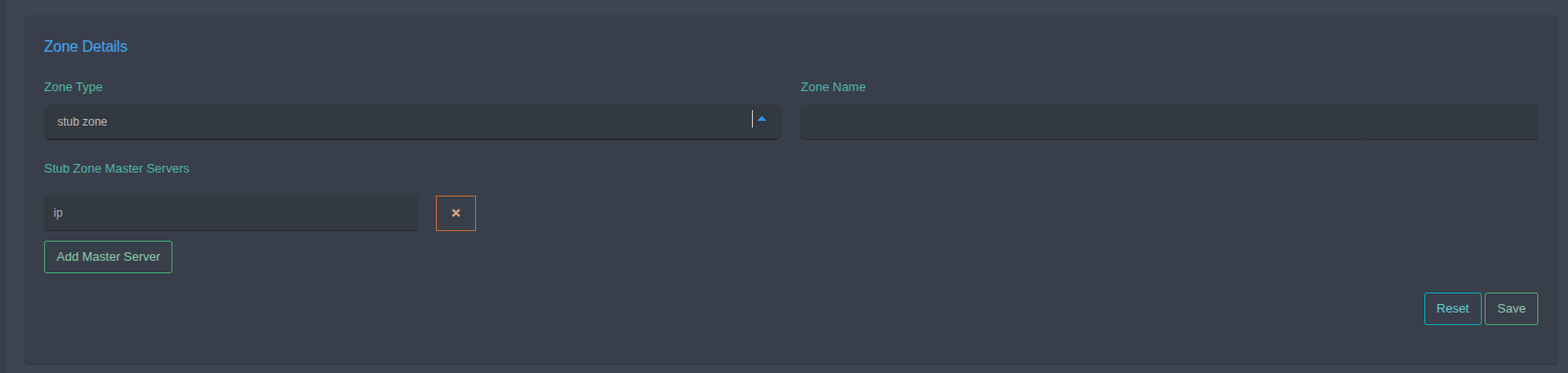
Zone Type: Select stub zone.
Zone Name: Name of the stub zone (e.g.
example.com). It must match the name of the zone hosted on the master servers.Stub Zone Master Servers: IP addresses of the master DNS servers from which the zone records are obtained.
Use Add Master Server to add a new IP field.
Use x to remove an IP field.
Reset: Clears the form.
Save: Creates the stub zone.
Tip
It is recommended to define more than one master server so that resolution continues if one of them is unreachable.