Trust
What Is a Trust?
A trust is an authentication link between two domains that allows users in one domain to access resources in the other. Once a trust is established, the domain hosting the resource (the trusting side) accepts the authentication performed by the domain controller (DC) of the user’s own domain, so there is no need to create a second account for the user.
Trusts are typically used for:
Giving users in different domains access to shared resources after mergers or acquisitions,
Gradual migration from one domain to another,
Resource sharing between independently managed organizations or departments.
A trust is mainly defined by the following properties:
Direction:
One-way: Only users of one domain can access resources in the other domain.
Two-way: Users of both domains can access resources on the other side.
Transitive: In a transitive trust, trust extends to the other domains trusted by the domains in the relationship. For example, if A trusts B and B trusts C, then A also trusts C. A non-transitive trust applies only between the two domains.
Type: For example, an external trust between two separate domains or a forest trust between two entire forests.
Note
A trust only provides authentication. For users to access resources in the other domain, permissions must also be granted on those resources.
Trusts Screen
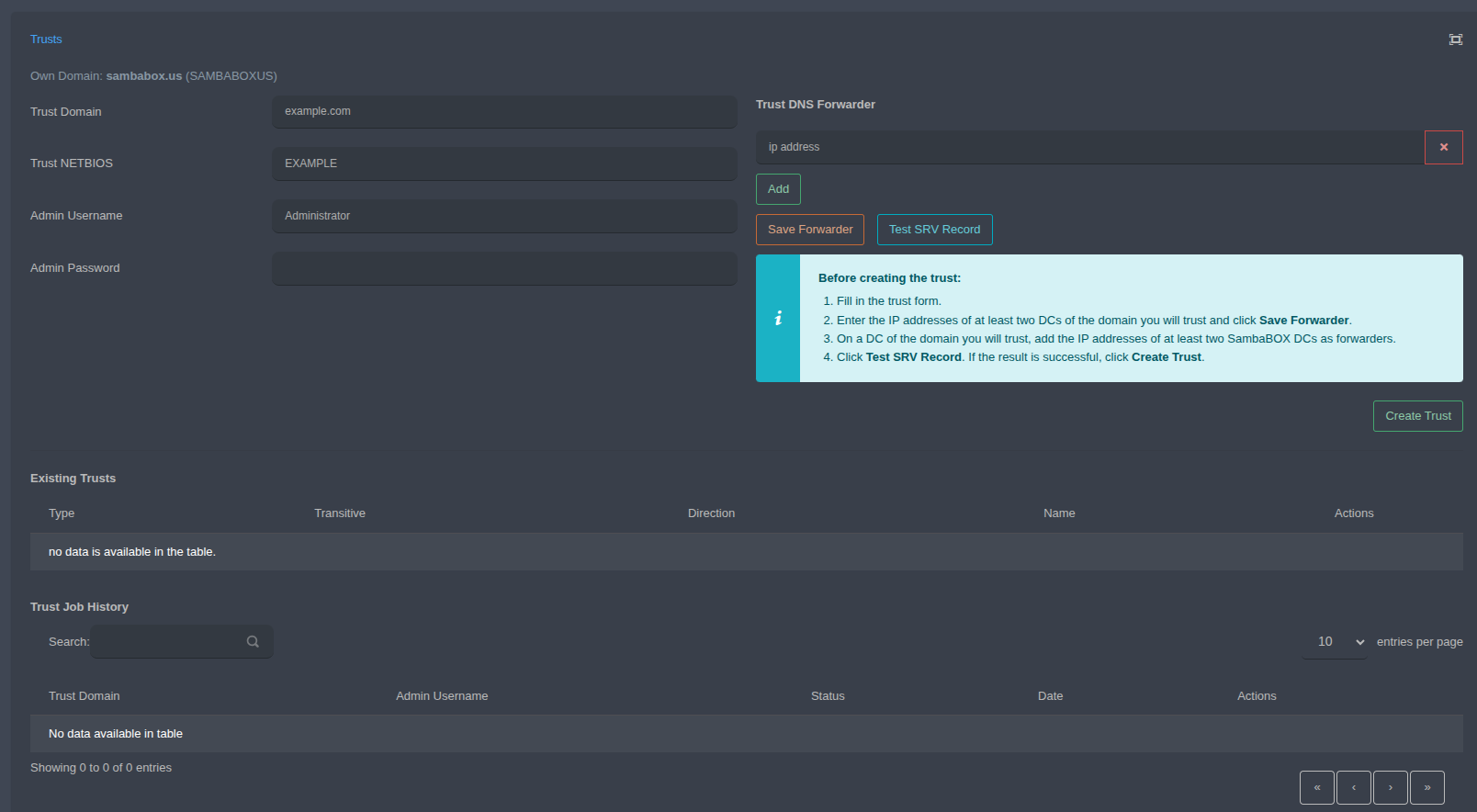
The domain SambaBox belongs to is shown at the top of the screen as Own Domain.
Trust Information
Trust Domain: Name of the domain to establish the trust with (e.g.
example.com).Trust NETBIOS: NetBIOS name of that domain (e.g.
EXAMPLE).Admin Username: A user with administrator privileges in the other domain.
Admin Password: The password of this user.
Trust DNS Forwarder
For a trust to be established, both domains must be able to resolve each other’s DNS records.
ip address: IP address of a DC in the other domain. Use Add to add a new IP field and x to remove a field.
Save Forwarder: Saves the entered IP addresses as DNS forwarders on SambaBox.
Test SRV Record: Tests whether the SRV records of the other domain can be resolved.
Creating a Trust
Fill in the trust form.
Enter the IP addresses of at least two DCs of the domain you will trust and click Save Forwarder.
On a DC of the domain you will trust, add the IP addresses of at least two SambaBox DCs as forwarders.
Click Test SRV Record. If the result is successful, click Create Trust.
Important
A trust cannot be created unless DNS resolution works in both directions. Make sure the SRV test is successful before clicking Create Trust.
Existing Trusts
Established trusts are listed with their Type, Transitive, Direction and Name information. Operations on a trust are available in the Actions column.
Trust Job History
Trust operations are listed with Trust Domain, Admin Username, Status and Date information. Use the search field to filter entries.