Computers
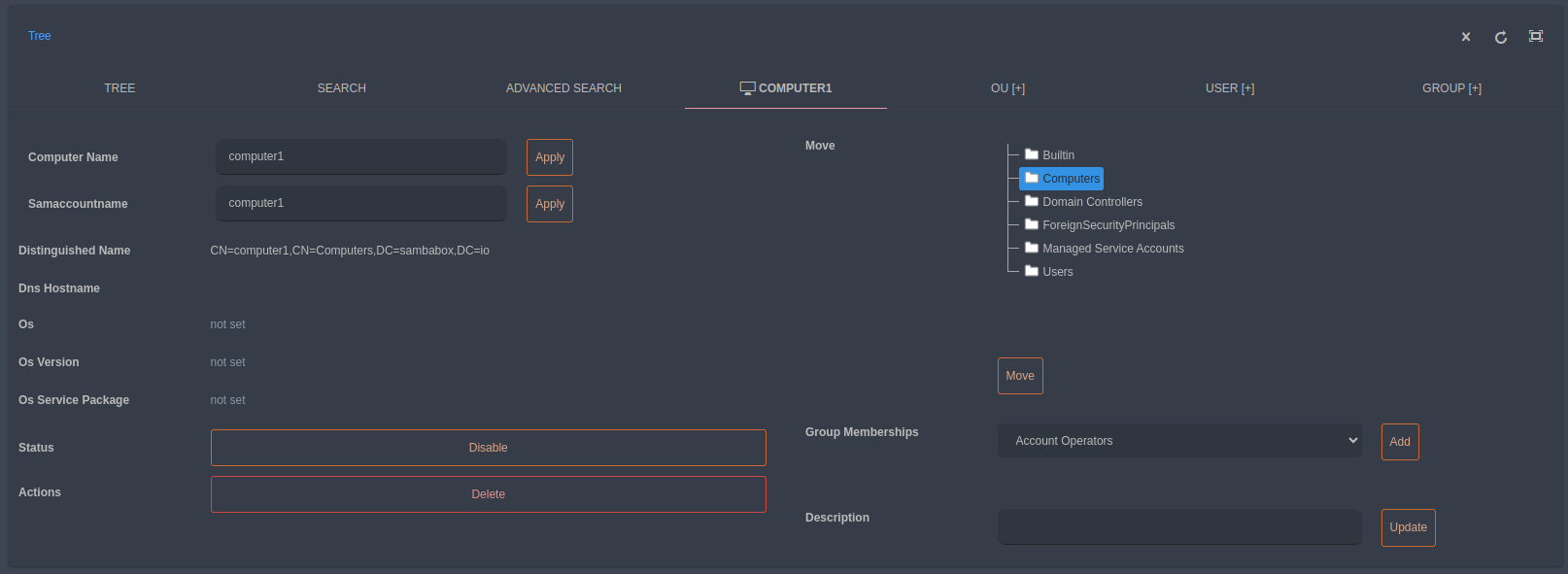
In order to edit or delete a computer managed by SambaBox enterprise directory, you can right click on the related computer object. You can also drag/drop from the right tree to the left tree individually or collectively to a different organizational unit.
By selecting edit through right click menu, you can:
view the computer object
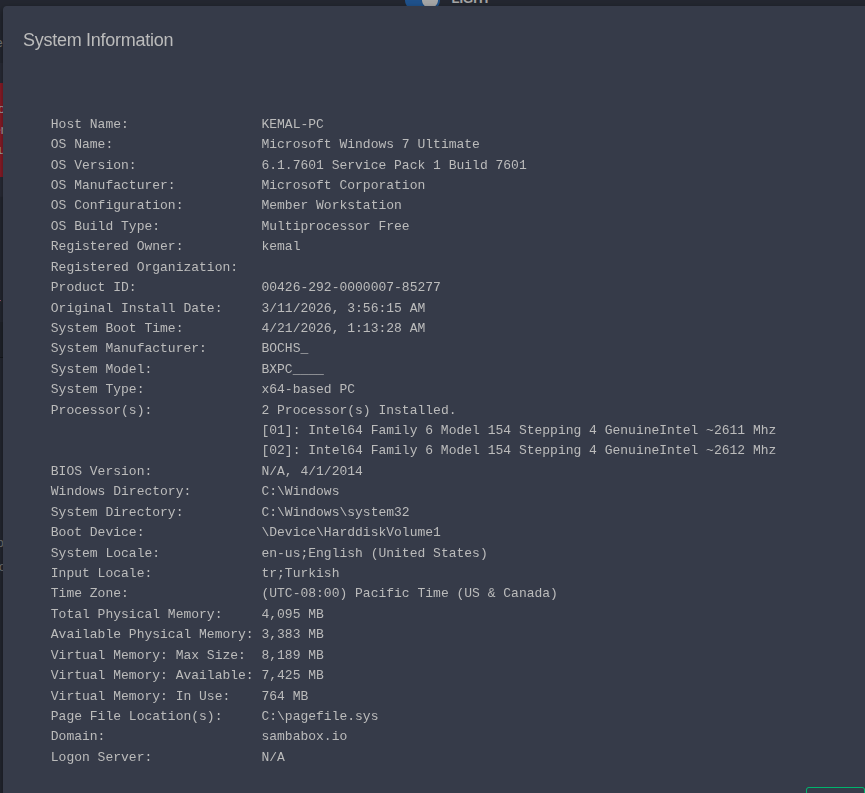
view system information of the computer
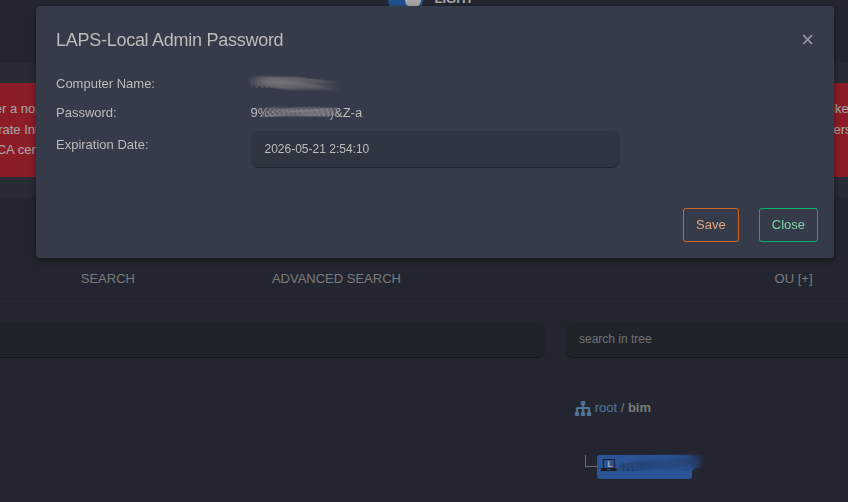
view local admin password of the computer
change the computer name and samaccountname attribute
move the computer object to another organizational unit
change group membership and apply other operations
on the selected computer object.
Hint
The computer name is generally the name of the computer on the network, while the sAMAccountName is the account used for session authentication. Both names can be the same for computer accounts, but their purposes are different.
Local Admin Password (LAPS)
What is LAPS? Local Administrator Password Solution (LAPS) is a solution that centrally manages the passwords of local administrator accounts on domain-joined computers and securely stores them on Active Directory.
Why is it used? It is used to prevent security risks (such as pass-the-hash attacks) caused by using the same local administrator password on all client computers. It increases security by creating complex, unique, and automatically changing passwords at regular intervals for each computer.
To use this feature:
Enable the LAPS feature from special attributes.
Place the computers for which you want to define a local admin password into an OU.
Define a GPO. (Machine, policies, administrative templates, LAPS)
Run the following commands on the client machines:
Import-module AdmPwd.PS
Set-AdmPwdReadPasswordPermission -OrgUnit "ou=yourou,dc=yourdomain,dc=io" -AllowedPrincipals "Domain Admins"
Set-AdmPwdResetPasswordPermission -OrgUnit "ou=yourou,dc=yourdomain,dc=io" -AllowedPrincipals "Domain Admins"
Set-AdmPwdComputerSelfPermission -OrgUnit "ou=yourou,dc=yourdomain,dc=io"
Find-AdmPwdExtendedrights -OrgUnit "ou=yourou,dc=yourdomain,dc=io" | Format-Table